
QOwnNotesQOwnNotes
Aan de slag
Installatie
  • Ask question
  • Ask for feature
  • Report bug
  • Telegram Channel
  • Matrix/Element.io Room
  • Gitter Chat
  • IRC Channel
  • Mastodon
  • Twitter
  • Facebook
Doneren
  • English
  • Deutsch
  • Italiano
  • Français
  • Español
  • فارسی
  • Nederlands
  • Magyar
  • العربية
  • Polski
  • 한국어
GitHub
Aan de slag
Installatie
  • Ask question
  • Ask for feature
  • Report bug
  • Telegram Channel
  • Matrix/Element.io Room
  • Gitter Chat
  • IRC Channel
  • Mastodon
  • Twitter
  • Facebook
Doneren
  • English
  • Deutsch
  • Italiano
  • Français
  • Español
  • فارسی
  • Nederlands
  • Magyar
  • العربية
  • Polski
  • 한국어
GitHub
  • Aan de slag

    • Overzicht
    • Concept
    • QOwnNotes Demo
    • Markdown
    • Notities importeren
    • Opdrachtregel-interface-parameters
    • Browser-extensie QOwnNotes Web Companion
    • Command-line Snippet Manager
    • QOwnNotes-webapp
    • QOwnNotesAPI Nextcloud App
    • Paneel Notitierelaties
    • Zoeken naar notities
    • Sneltoetsen
    • Git versiebeheer
  • Installatie

    • Installatie
    • Installatie op Ubuntu Linux, elementary OS en Linux Mint
    • Installatie op Microsoft Windows™
    • Installatie op macOS™
    • Installatie op Debian Linux
    • Installatie op openSUSE Linux
    • Installatie op Fedora Linux
    • Installatie als Snap
    • Installatie als Flatpak
    • Installeer als AppImage
    • Installatie via Nix
    • Installatie op Arch Linux
    • Installatie op Solus
    • Installatie op KaOS Linux
    • Installatie op CentOS Linux
    • Installatie op Raspberry Pi OS
    • Installatie op Gentoo Linux
    • Installatie op Funtoo Linux
    • Installatie on Void Linux
    • Installatie op Slackware Linux
    • Installatie op FreeBSD
    • QOwnNotes bouwen
  • Editor

    • Spellingcontrole
    • AI-ondersteuning
    • Tijdnotatie
  • Scripting

    • QOwnNotes-scripts
    • Methoden en objecten die QOwnNotes biedt
    • Hooks
    • Blootgestelde klassen
  • Bijdragen

    • Actief worden
    • Gedragscode
    • Onderhouders
    • Vertaling
    • Doneren
    • Sponsors
  • FAQ

    • Hoe kan ik gewoon het voorbeeldvenster weergeven zonder het notitiebewerkingspaneel?
    • Waar kan ik vinden wat andere mensen zeggen over QOwnNotes?
    • Waarom statistieken?
  • Blog (in het Engels)

    • /nl/blog/
    • /nl/blog/2025-07-22-Universal-binary-for-macOS.html
    • /nl/blog/2025-03-14-Note-relations-panel.html
    • /nl/blog/2024-05-17-AI-support-was-added-to-QOwnNotes.html
    • /nl/blog/2023-07-12-Source-Archive-switched-from-TuxFamily-to-GitHub-Releases.html
    • /nl/blog/2023-06-17-Nextcloud-Deck-integration-in-QOwnNotes.html
    • /nl/blog/2023-06-17-QOwnNotes-UI-End2End-Tests-with-the-help-of-NixOS.html
    • /nl/blog/2023-02-03-Test-Qt6-version-of-QOwnNotes-from-a-new-PPA-for-Ubuntu-Linux.html
    • /nl/blog/2023-01-29-Evernote-import-for-huge-files.html
    • /nl/blog/2022-12-06-Happy-1000th-release-of-QOwnNotes.html
    • /nl/blog/2022-10-15-Polish-website-translation.html
    • /nl/blog/2022-07-28-Working-with-multiple-notes.html
    • /nl/blog/2021-11-23-QOwnNotes-command-line-snippet-manager.html
    • /nl/blog/2021-11-15-Nextcloud-note-versions.html
    • /nl/blog/2021-11-11-Manage-orphaned-image-files-and-attachments.html
    • /nl/blog/2021-10-25-Linking-of-note-headings.html
    • /nl/blog/2021-08-31-Tor-Hidden-Service-Webpage.html
    • /nl/blog/2021-08-25-Use-workspaces-to-manage-different-kayouts-of-the-user-interface.html
    • /nl/blog/2021-08-25-Auto-complete-in-note-editor.html
    • /nl/blog/2021-08-22-Open-links-in-the-note-editor.html
    • /nl/blog/2021-08-21-Solve-simple-equations-in-the-note-editor.html
    • /nl/blog/2021-08-21-Auto-format-markdown-tables.html
    • /nl/blog/2021-08-20-QOwnNotes-Mastodon-page.html
    • /nl/blog/2021-08-20-Repository-for-Debian-11.html
    • /nl/blog/2021-07-18-Joplin-import.html
    • /nl/blog/2021-05-02-Send-photos-from-your-mobile-phone-to-QOwnNotes-on-the-desktop.html
    • /nl/blog/2021-01-28-Four-new-languages-added-to-the-website.html
    • /nl/blog/2021-01-16-QOwnNotes-Demo.html
    • /nl/blog/2020-11-10-Markdown-explanation.html
    • /nl/blog/2020-11-10-Webpage-translation.html
    • /nl/blog/2020-11-08-QOwnNotes-for-Ubuntu-21.04-Hirsute-Hippo.html
    • /nl/blog/2020-10-27-QOwnNotes-for-Fedora-33.html
    • /nl/blog/2020-10-26-Release-and-blog-posting-automation.html
    • /nl/blog/2020-10-26-Legacy-update-service-up-again.html
    • /nl/blog/2020-10-23-RSS-Feeds-are-back-in-place.html
    • /nl/blog/2019-08-12-Time-Flies-Podcast-episode-with-interview-about-QOwnNotes.html
    • /nl/blog/2019-01-16-Bookmark-management-with-QOwnNotes-and-Web-Companion-browser-extension.html
    • /nl/blog/2019-01-09-Firefox-extension-on-Firefox-Add-ons-page.html
    • /nl/blog/2018-12-31-Chrome-extension-in-Chrome-Web-Store.html
    • /nl/blog/2018-12-27-QOwnNotes-Web-Companion-Chrome-extension.html
    • /nl/blog/2018-12-23-500th-release-of-QOwnNotes.html
    • /nl/blog/2018-10-05-QOwnNotes-Telegram-Group.html
    • /nl/blog/2018-08-07-Vim-mode.html
    • /nl/blog/2018-03-29-QOwnNotes-for-openSUSE-Leap-15-SUSE-Linux-Enterprise-15-and-SUSE-Linux-Enterprise-12-SP3.html
    • /nl/blog/2018-01-11-QOwnNotes-featured-on-LINUX-Unplugged-podcast-and-by-Ubuntu.html
    • /nl/blog/2017-12-12-Interview-for-ownCloud.html
    • /nl/blog/2017-11-24-QOwnNotes-for-Fedora-27.html
    • /nl/blog/2017-10-01-QOwnNotes-reviewed-in-German-magazine-c't.html
    • /nl/blog/2017-07-05-QOwnNotesAPI-in-the-ownCloud-Marketplace.html
    • /nl/blog/2017-07-03-QOwnNotes-as-AppImage.html
    • /nl/blog/2017-06-26-QOwnNotes-for-Debian-9.0-Fedora-26-and-openSUSE-Leap-42.3.html
    • /nl/blog/2017-05-19-Script-repository-and-script-settings-variables.html
    • /nl/blog/2016-12-20-Fedora-25-release-and-new-documentation-page.html
    • /nl/blog/2016-11-23-Solus-package-for-QOwnNotes.html
    • /nl/blog/2016-11-05-Automatic-updates-in-Windows-and-macOS.html
    • /nl/blog/2016-10-02-Note-encryption-with-keybase.io-or-directly-with-PGP.html
    • /nl/blog/2016-09-24-Evernote-import.html
    • /nl/blog/2016-09-18-Portable-mode.html
    • /nl/blog/2016-09-05-QOwnNotes-on-webupd8.org.html
    • /nl/blog/2016-07-12-QOwnNotes-featured-on-the-Linux-Voice-Podcast.html
    • /nl/blog/2016-07-12-QOwnNotes-snap.html
    • /nl/blog/2016-07-11-QOwnNotes-review-in-British-magazine-Linux-Format.html
    • /nl/blog/2016-06-27-QOwnNotes-Slackware-Linux-Repository.html
    • /nl/blog/2016-06-22-QOwnNotes-review.html
    • /nl/blog/2016-05-25-QOwnNotes-IRC.html
    • /nl/blog/2016-05-13-QOwnNotes-now-has-scripting-support.html
    • /nl/blog/2016-03-28-QOwnNotes-is-the-Desktop-App-Pick-on-the-Linux-Action-Show.html
    • /nl/blog/2016-03-25-QOwnNotes-got-featured-in-Linux-Voice-25.html
    • /nl/blog/2016-03-01-QOwnNotes-Gentoo-Linux-Overlay.html
    • /nl/blog/2016-02-26-Translate-QOwnNotes-on-Crowdin.html
    • /nl/blog/2016-02-14-QOwnNotes-1.0-out-now-in-6-languages-and-with-Freedesktop-theme-icons-support.html
    • /nl/blog/2016-01-31-QOwnNotes-software-repository-for-Debian-Linux.html
    • /nl/blog/2016-01-30-QOwnNotes-package-on-the-Arch-User-Repository.html
    • /nl/blog/2016-01-27-QOwnNotes-software-repository-for-Arch-Linux.html
    • /nl/blog/2016-01-26-Webpage-redesign.html
    • /nl/blog/2016-01-13-Qt-widget-QMarkdownTextEdit-now-a-separate-project-for-developer's-pleasure.html
    • /nl/blog/2016-01-09-New-release-version-RSS-feed.html
    • /nl/blog/2016-01-07-New-Linux-software-repositories-and-todo-list-support.html
    • /nl/blog/2015-11-04-QOwnNotes-on-Linux-Unplugged.html
    • /nl/blog/2015-07-27-Build-and-release-systems-for-QOwnNotes-for-Linux-Mac-OS-X-and-Windows.html
    • /nl/blog/2015-03-23-Links-to-other-notes-or-files-are-now-possible-in-QOwnNotes.html
  • Changelog (in het Engels)

    • QOwnNotes Changelog

QOwnNotes Demo

Tips

Let op Dit werkt niet altijd, afhankelijk van de huidige staat van de demo-omgeving.

U kunt QOwnNotes uitproberen in uw webbrowser zonder het te installeren door deze instructies te volgen:

  1. Click on this Play With Docker link.
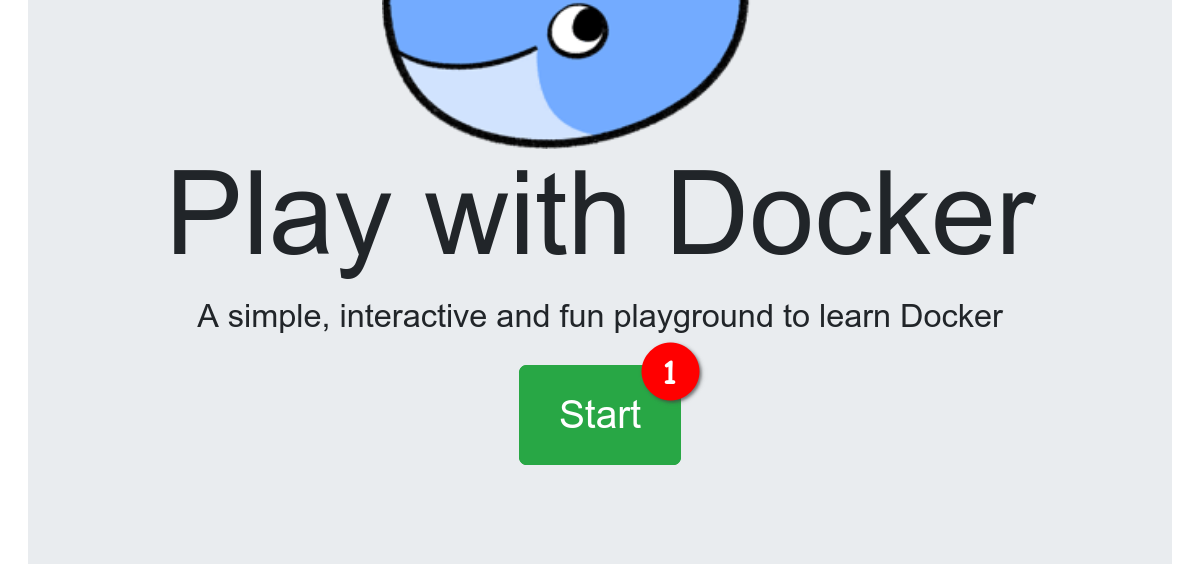
  2. Click the Login / Start button (see screenshot bullet 1) and login with your Docker account (you need to create one if you don't already have one).
screenshot01

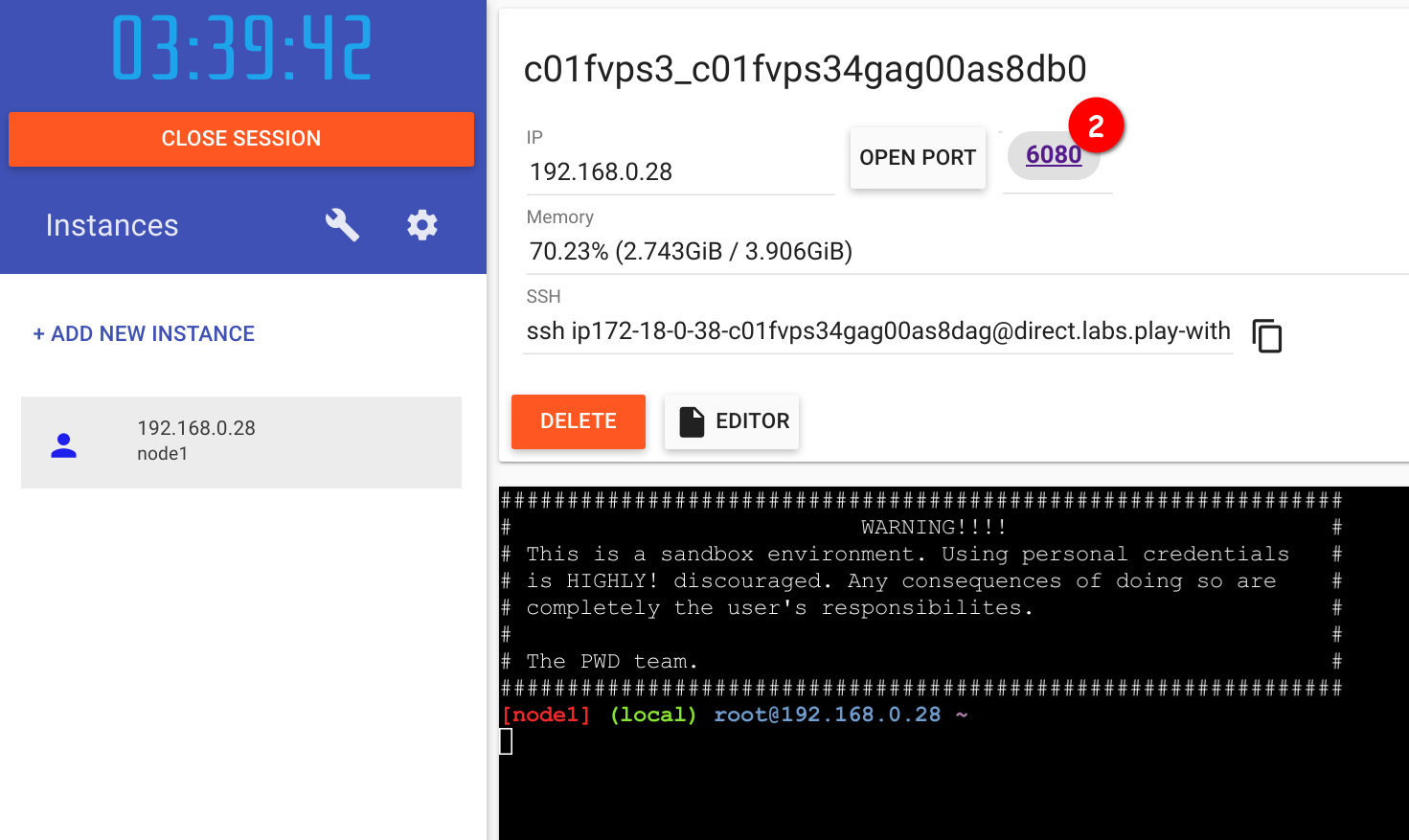
  1. Wait until the container is created and spun up. Then you should be able to click on 6080 on the top (see screenshot bullet 2). If you get an error please wait a bit more and try to click 6080 again, it takes a while for the desktop environment to load.
screenshot02

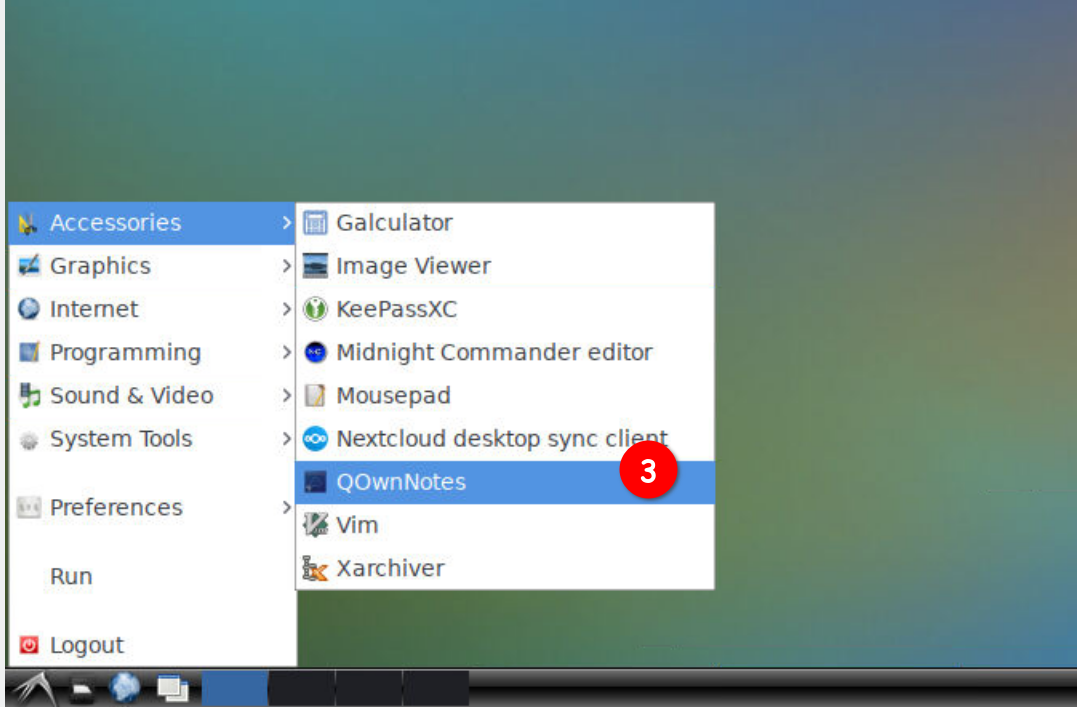
  1. A new browser tab should open producing a desktop. Click on the bottom left symbol on the screen (in the task bar), hover over Accessories and click on QOwnNotes (see screenshot bullet 3).
screenshot03

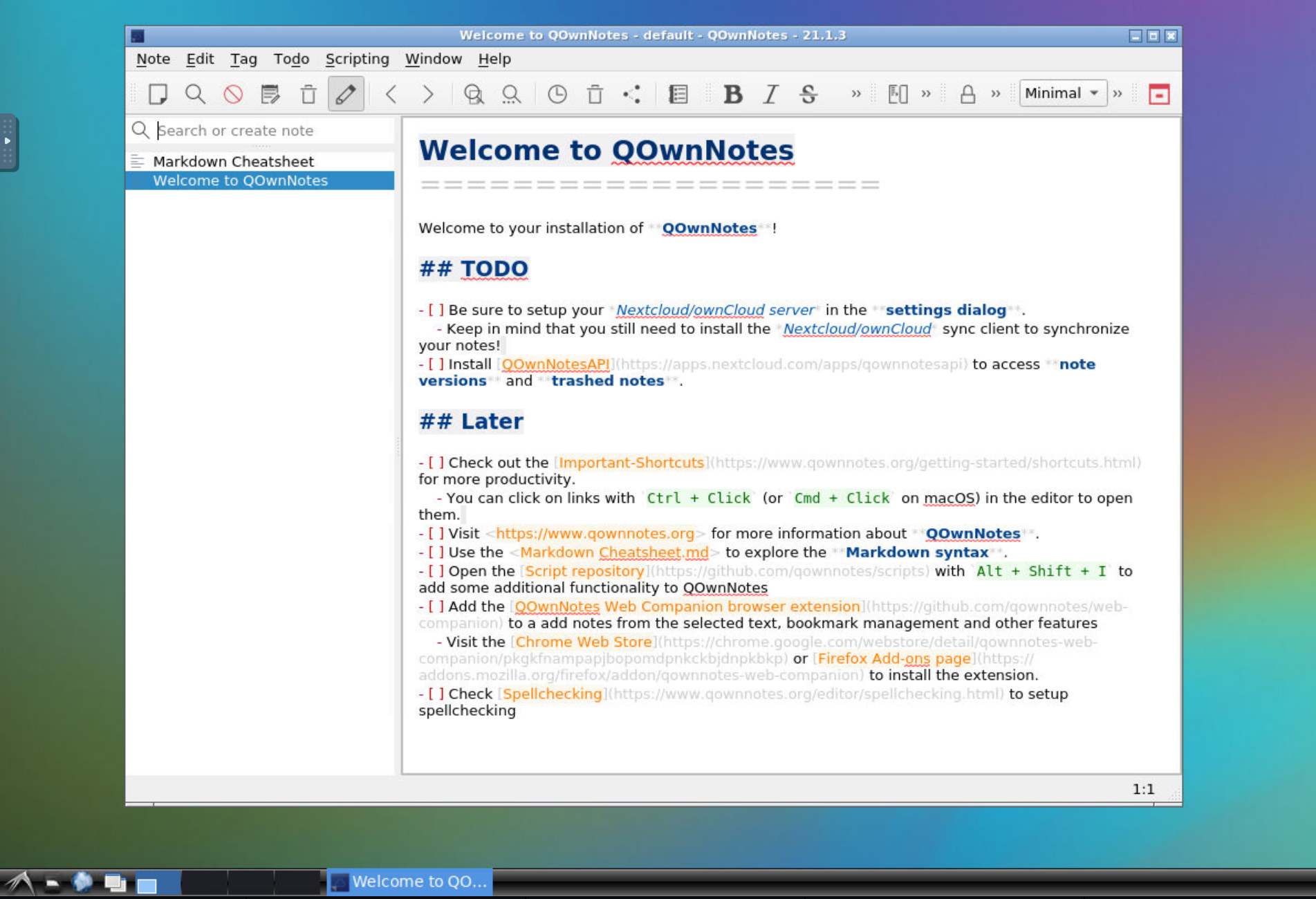
  1. The QOwnNotes install dialog should open, click through it and press Finish to see the QOwnNotes main window.
screenshot04

Help us improve this page!
Prev
Concept
Next
Markdown