
Recherche de notes
Pour rechercher des notes ou du texte à l'intérieur de notes, vous pouvez utiliser le raccourci Ctrl + ⇧ Maj + F (ou ⌘ Cmd + ⇧ Maj + F sur macOS) pour accéder au Panneau de recherche de notes.
Il existe différentes manières de rechercher des notes :
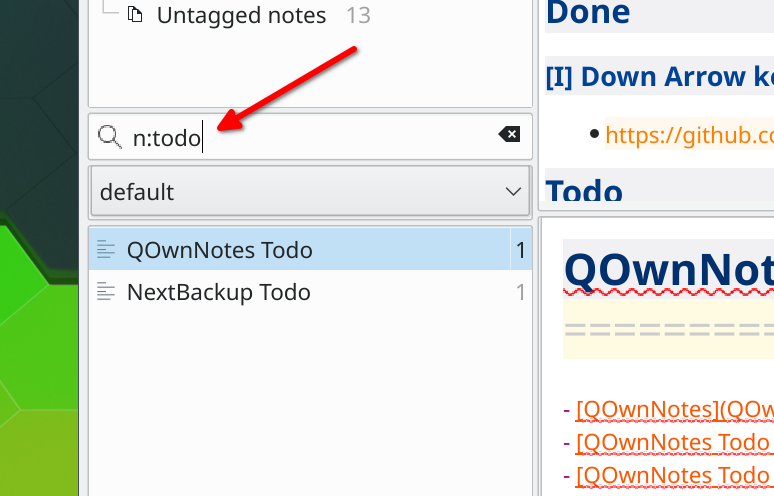
note bookrecherchera les notes avec à la fois le motnoteet le motbookdans le nom du fichier ou le texte de la note"note book"recherchera des notes contenant exactement le textenote bookdans le nom du fichier ou le texte de la noten:bookouname:bookrecherchera les notes avec exactementbookdans le nom de la note ou le nom du fichiern:"note book"ouname:"note book"recherchera les notes avec exactementnote bookdans le nom de la note ou le nom du fichierw:noteouword:noterecherchera le mot entiernote, excluant les correspondances partielles commenotebook- Les opérateurs de recherche peuvent être combinés, par exemple
n:w:notecherche le mot entiernoteuniquement dans le nom de la note ou le nom de fichier
Conseil
La recherche commence après avoir tapé au moins deux caractères.
Ignoring accents
If you turn on Ignore accents in search in the Panels settings, searches without accented letters will also find text with accented letters. For example, avion will also find Avión, and strasse will also find Straße.
- Searches that contain accented letters still only find exact matches, so
schönwill not findschon - Only Latin letters are affected, characters of other scripts are always matched exactly
- The setting is used for the note search, the highlighting of the found text in the note editor and preview, and for the filters of the tag, note subfolder and navigation panels